Do you need a VPS to copy trades?
Not always. It depends on whether you run a desktop copier or a cloud one. Here's the honest answer, and how to copy trades 24/7 with no VPS at all.
- Copies 24/7
- 15ms execution
- No VPS needed
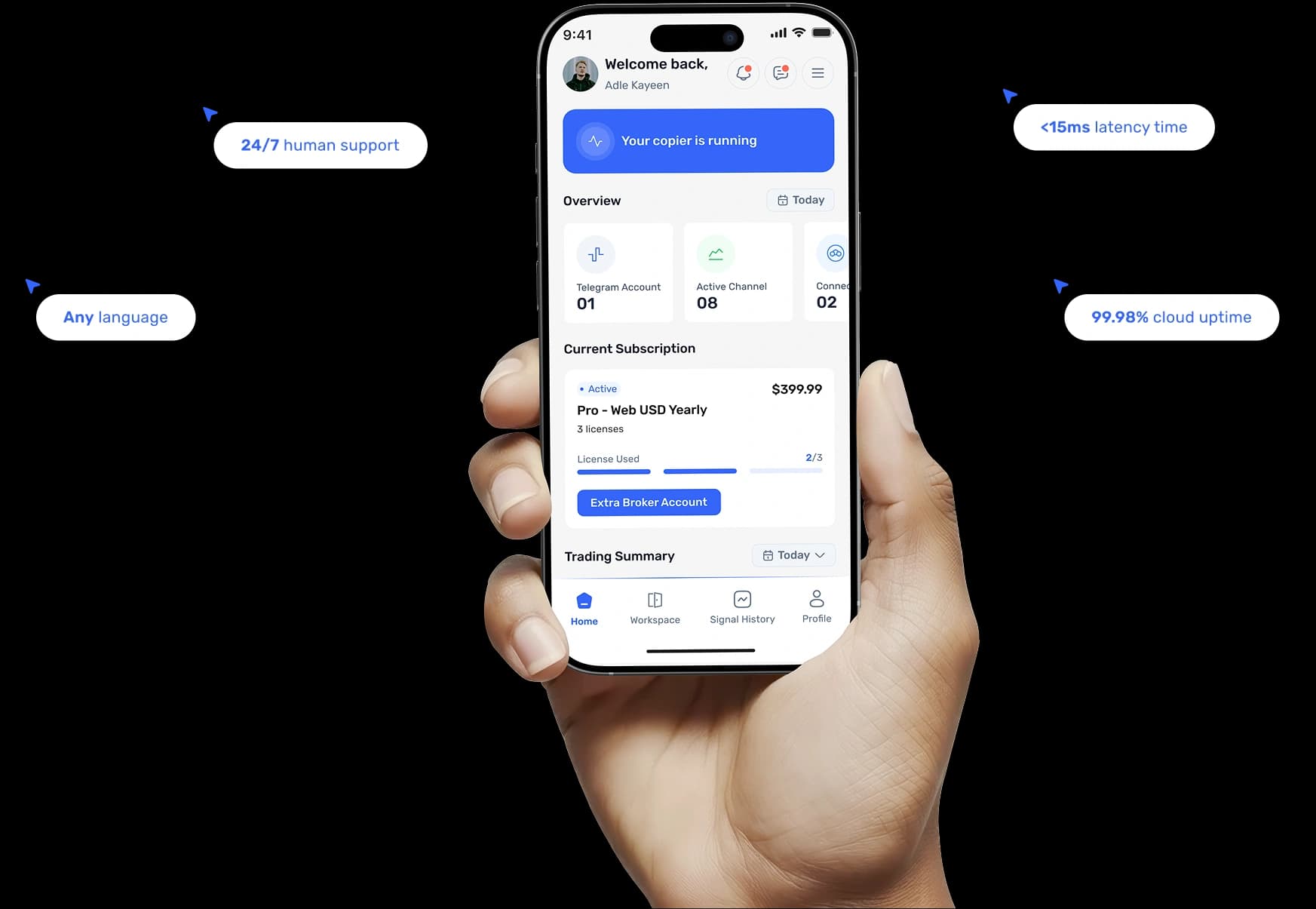
No, not with a cloud copier
You only need a VPS if you run a desktop copier, an Expert Advisor (EA) on MT4 or MT5, and don't want to leave your own computer switched on 24/5. A cloud copier like trade2sync runs online on secure servers, so it copies your trades around the clock with no VPS at all.
Whether you need a VPS depends on your copier
Trade copiers come in two forms. One has to stay running on a computer somewhere; the other lives online. That single difference decides whether a VPS is needed.
Usually needs a VPS
Desktop copier (EA)Runs on a machine that has to stay switched on, so you either leave your PC running or rent a server to do it for you.
- Runs as an EA inside MT4 or MT5 on a computer
- Only copies while that computer is on and online
- Leave your own PC running 24/5, or rent a VPS
- A VPS for a trade copier is an extra monthly cost
- You handle setup, updates and uptime yourself
No VPS needed
Cloud copierRuns online on the provider's servers, so there is nothing for a VPS to solve and nothing for you to keep switched on.
- Runs online on the provider's secure servers
- Copies 24/7 whether your PC is on or off
- Nothing to install, rent or keep running
- Hosting is already included, no VPS bill
- Updates and uptime handled for you
You only need a VPS if you run a desktop copier and don't want to leave your own computer switched on 24/5. A cloud copier runs online on secure servers, so it copies your trades around the clock with no VPS at all.
What is a VPS, and why do copiers use one?
The problem
A desktop copier only works while its computer is on.
The VPS fix
A VPS, virtual private server, is a computer in a data centre that stays switched on all the time, which you connect to remotely. Traders rent one so a desktop copier keeps running even when their own laptop is closed or offline. It solves a real problem for desktop copiers: they can only copy while the machine they're installed on is on and connected.
The cloud shortcut
A cloud copier is already always-on, so no VPS is needed.
Copy trades without a VPS.
trade2sync Cloud runs your copier online, so your trades keep copying whether your computer, or your phone, is on or off.
Always online
Your copier lives on secure servers and runs 24/7, so signals are copied even while you sleep, no VPS to rent or reboot.
Nothing to install
There's no EA to set up on MetaTrader and no server to configure. You connect your Telegram and your account, and copying starts.
Nothing on your PC
Because it all runs in the cloud, your own computer stays free, no background software, no uptime to babysit, no maintenance.
What a no-VPS cloud copier saves you
Dropping the VPS removes a monthly bill, a setup step and an uptime worry from copy trading.
No extra monthly bill
Hosting is included, so you don't pay separately for a VPS for your trade copier.
Always-on uptime
The servers stay online 24/7, so you're not relying on your own PC or a VPS staying up.
Zero setup
No EA to install, no server to configure, connect your channel and account and go.
Secure hosting
Your copier runs on managed infrastructure instead of a machine you have to secure yourself.
Manage from anywhere
Check and control your copying from your phone, nothing is tied to one desktop.
Less to maintain
Updates and uptime are handled for you, so there's no server admin to keep on top of.
No extra monthly bill
Hosting is included, so you don't pay separately for a VPS for your trade copier.
Always-on uptime
The servers stay online 24/7, so you're not relying on your own PC or a VPS staying up.
Zero setup
No EA to install, no server to configure, connect your channel and account and go.
Secure hosting
Your copier runs on managed infrastructure instead of a machine you have to secure yourself.
Manage from anywhere
Check and control your copying from your phone, nothing is tied to one desktop.
Less to maintain
Updates and uptime are handled for you, so there's no server admin to keep on top of.
When a VPS still makes sense
A cloud copier suits most people, but a VPS isn't pointless. There are genuine cases where running your own desktop copier on a VPS is the better fit. If none of these apply to you, a cloud copier is usually the simpler, cheaper route.
You run your own EA
You specifically want to run your own EA or a custom desktop setup you already trust.
A specific platform setup
You need a particular MetaTrader configuration, plugin or broker setup that only runs on the desktop platform.
Latency to your broker
You want your terminal physically located near your broker's servers for latency reasons.
Other always-on tools
You already run other always-on trading tools on a VPS and want everything in one place.
You run your own EA
You specifically want to run your own EA or a custom desktop setup you already trust.
A specific platform setup
You need a particular MetaTrader configuration, plugin or broker setup that only runs on the desktop platform.
Latency to your broker
You want your terminal physically located near your broker's servers for latency reasons.
Other always-on tools
You already run other always-on trading tools on a VPS and want everything in one place.
Copy trades 24/7, no VPS required
VPS & copy trading FAQ
The questions traders ask most about whether they need a VPS to copy trades.
Skip the VPS entirely
The trade2sync cloud copier runs online 24/7, with no server to rent, configure or keep switched on.
Skip the VPS. Copy trades in the cloud.
The trade2sync cloud copier copies signals from your Telegram channels to MT4, MT5, cTrader, DXtrade and TradeLocker, online, 24/7, with no VPS to rent or maintain.
Download Now